

WPML vs Polylang vs TranslatePress: Which WordPress Translation Plugin Fits a Multi-Market Brand?
WPML vs Polylang vs TranslatePress: Which WordPress Translation Plugin Fits a Multi-Market Brand?
In the WPML vs Polylang choice, WPML costs €39 to €199 a year and suits multi-market stores that need WooCommerce support and a translation workflow. Polylang has a free core with Pro from €99 a year, which suits content sites translated by hand. TranslatePress starts at €99 a year and suits small teams that prefer translating visually on the front end.
All three plugins turn a single WordPress install into a multilingual site, but they store translations, handle SEO and price their licences in different ways. Those differences matter most when a brand runs a store, a page builder, or more than two languages.
This comparison uses pricing and feature details published on each vendor’s official site as of October 2026. Prices are listed in euros, excluding VAT, and vendors change them often, so check the pricing page before buying.
How Do WPML, Polylang and TranslatePress Compare?
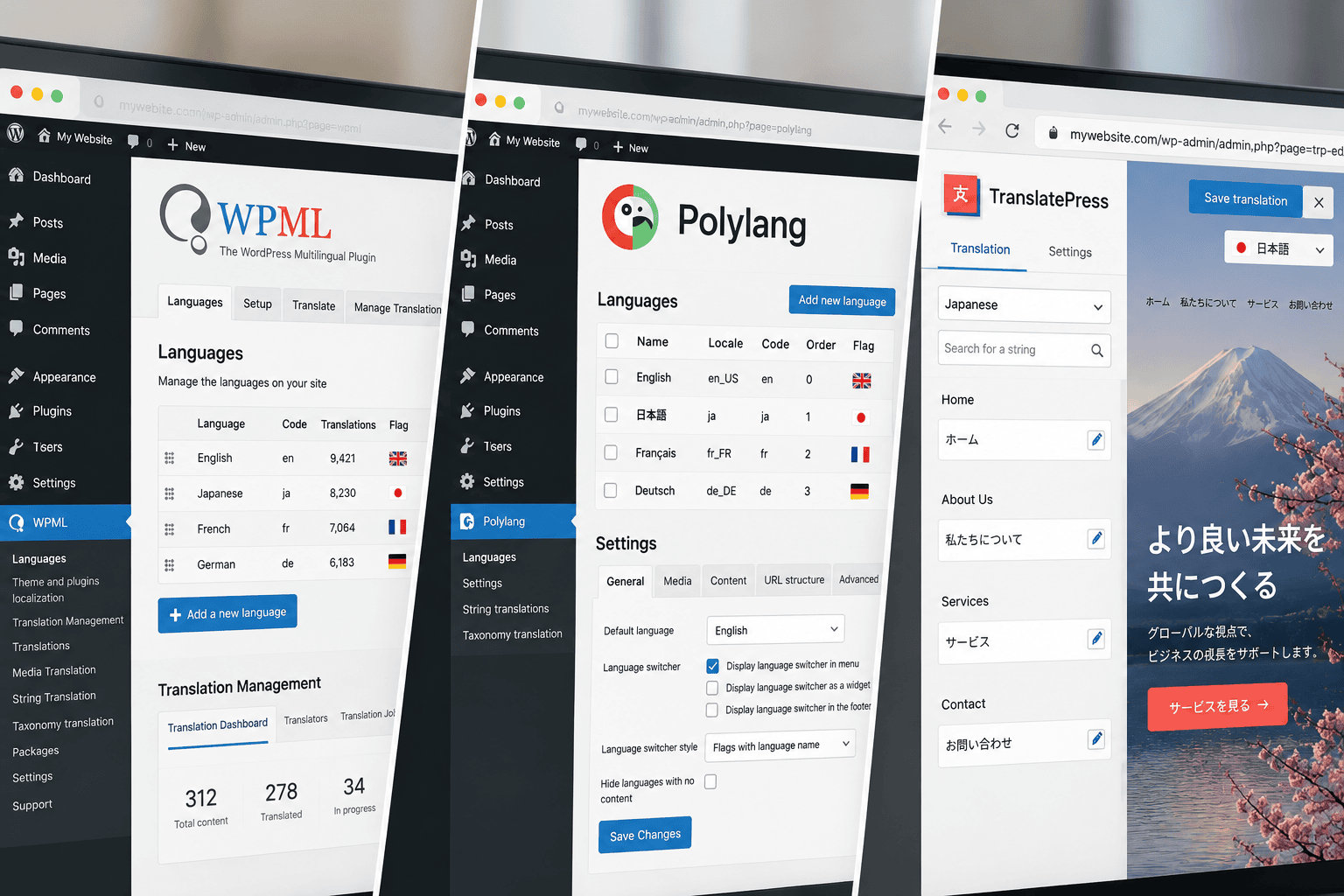
WPML is the most complete package, Polylang is the most flexible free option, and TranslatePress is the easiest to use for people who aren’t developers. The table below sets out the differences that affect a multi-market build.
| Feature | WPML | Polylang | TranslatePress |
|---|---|---|---|
| Free version | No (30-day refund window) | Yes, unlimited languages | Yes, one translation language |
| Starting paid price | €39 a year | €99 a year (Pro) | €99 a year |
| How translation works | Back-end editor and translation dashboard | Separate post per language in the back end | Visual editor on the live front end |
| Built-in AI or machine translation | AI words included in CMS and Agency plans | DeepL in Pro, with your own API key | AI word allowance in every paid plan |
| URL options | Directories, domains, subdomains, parameter | Language code in URL, subdomain or domain | Subdirectories by default, domains on higher plans |
| WooCommerce | Included in CMS and Agency plans | Paid add-on | Supported in the core plugin |
| Translated URL slugs | Yes | Pro only | SEO Pack (paid plans) |
According to the WordPress.org plugin directory (October 2026), free Polylang has more than 900,000 active installations and TranslatePress has more than 400,000. WPML isn’t listed there because it has no free version.
How Much Do WPML, Polylang and TranslatePress Cost in 2026?
Entry pricing for all three plugins sits between €39 and €99 a year for one site, but the cost of a multi-market store depends on which tier includes WooCommerce. WPML’s €99 plan covers three sites with e-commerce support, while Polylang charges for WooCommerce as a separate add-on.
| Plugin and plan | Annual price (ex VAT) | Sites | What’s included |
|---|---|---|---|
| WPML Multilingual Blog | €39 | 1 | Core translation only, no string translation or e-commerce |
| WPML Multilingual CMS | €99 | 3 | String translation, page builders, e-commerce, 22,500 AI words |
| WPML Multilingual Agency | €199 | Unlimited | CMS features plus 45,000 AI words |
| Polylang Pro | €99 to €495 | 1 to 25 | Translated slugs, DeepL, XLIFF import and export |
| Polylang for WooCommerce | From €99 | From 1 | Products, cart, checkout and email translation |
| Polylang Business Pack | €139 | 1 | Polylang Pro plus Polylang for WooCommerce |
| TranslatePress Personal | €99 | 1 | Multiple Languages and SEO Pack add-ons, 50,000 AI words |
| TranslatePress Business | €199 | 3 | Personal features plus 200,000 AI words |
| TranslatePress Developer | €349 | Unlimited | Business features plus 500,000 AI words |
According to WPML’s pricing page (2026), included AI translation words are topped up at each renewal and don’t expire. Polylang’s pricing page states that Pro renewals currently carry a 50% discount, and TranslatePress’s pricing page lists its three tiers at €99, €199 and €349 a year.
Is There a Free Version of WPML?
WPML doesn’t offer a free version. The vendor offers a 30-day money-back guarantee instead, which is the main reason budget-led projects start with free Polylang or free TranslatePress.
Which Plugin Handles Multilingual SEO Best?
WPML and Polylang both add hreflang tags automatically, which covers the core technical requirement for multilingual SEO. TranslatePress handles translated slugs and metadata through its SEO Pack, which is only available in the paid plans.
According to Google Search Central (2026), each language version of a page must list itself and every other language version, or the hreflang annotations may be ignored. Google also recommends separate URLs for each language rather than switching content by cookie or browser setting. All three plugins meet that requirement by giving each language its own URL.
The bigger SEO differences sit in the details. Polylang generates an x-default hreflang only for the homepage, and its free version doesn’t translate URL slugs. TranslatePress free doesn’t translate page titles, meta descriptions or slugs, so a bilingual site on the free plan will show source-language metadata on translated pages.
Which Plugin Works Best with WooCommerce?
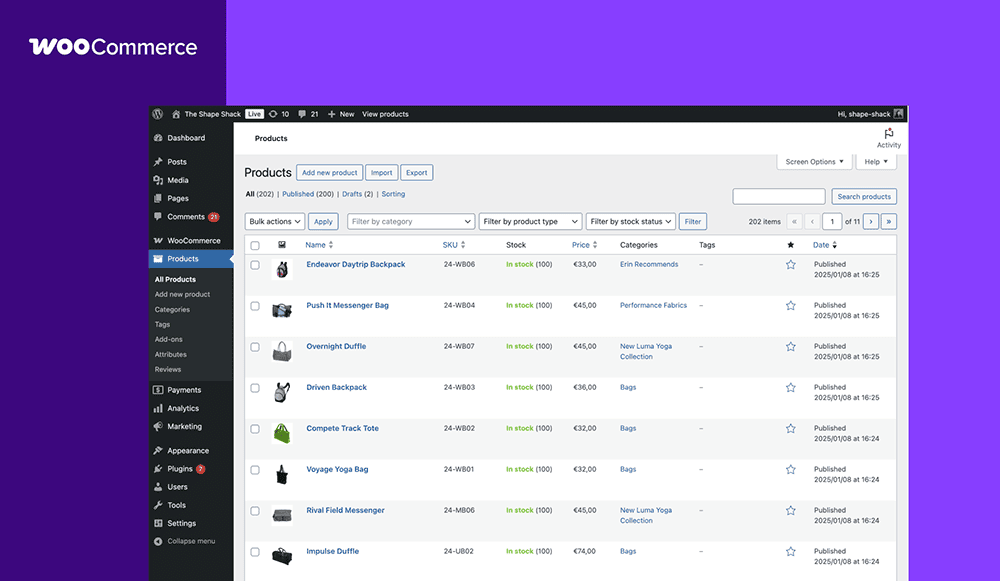
WPML is the strongest choice for a multilingual WooCommerce store, because its CMS and Agency plans include WooCommerce Multilingual, which also adds a multi-currency switcher. Polylang needs the separate Polylang for WooCommerce add-on, and TranslatePress translates store pages through its standard front-end editor.
Currency matters as much as language for a brand selling in Singapore, Japan and the US. WooCommerce Multilingual provides multiple currencies, exchange rates and custom prices per currency for free, while full multilingual store features need a paid WPML plan. Polylang’s WooCommerce add-on documents translation of products, cart, checkout and emails, but it doesn’t list multi-currency, so a separate currency plugin is usually needed.
In multi-language WordPress builds we scope at Creative For More, the most common store issue is untranslated checkout text and order emails appearing in English on the Japanese version of a site. For a wider view of store platforms, our ecommerce team compares WordPress builds with Shopify for cross-border brands.
Does Polylang Work with Elementor?
Polylang Pro’s DeepL machine translation in the editor isn’t currently compatible with Elementor, according to Polylang’s own pricing page. Elementor sites that want automatic translation therefore tend to choose WPML or TranslatePress, both of which list page builder support.
Which Plugin Fits Which Type of Brand?
The right plugin depends on whether the site sells products, how many languages it runs, and who maintains translations. The table below matches common brand situations to the plugin that usually fits best.
| Brand situation | Best fit | Reason |
|---|---|---|
| WooCommerce store selling in three or more markets | WPML Multilingual CMS | E-commerce, multi-currency and string translation in one licence |
| Content or B2B site with an in-house translator | Polylang (free or Pro) | Unlimited languages at no cost, lightweight setup |
| Bilingual site run by a small marketing team | TranslatePress | Visual editing on the live page, no back-end training needed |
| Agency or group managing many country sites | WPML Agency or TranslatePress Developer | Unlimited sites under one licence |
| Site built with Elementor that needs machine translation | WPML or TranslatePress | Polylang Pro’s DeepL feature doesn’t support Elementor |
A brand with English for Singapore and the US plus Japanese for Japan is a typical case. It needs two English variants with separate locales and one Japanese version, which makes slug translation, hreflang and per-market currency the deciding features.
What Should a Multi-Market Brand Check Before Choosing?
A brand should confirm URL structure, locale handling, store requirements and team workflow before it buys a licence. Switching plugins after launch means migrating every translation, so these checks belong at the planning stage.
- URL structure: confirm the plugin supports the structure you plan to use, such as subdirectories like /sg/, /jp/ and /us/.
- Regional variants: check that you can create separate English entries for Singapore and the US, each with its own locale code and URL code.
- Metadata translation: confirm that titles, meta descriptions, slugs and image alt text can be translated on your chosen tier.
- Store scope: list every WooCommerce element that must be localized, including emails, currencies and payment gateways.
- Page builder: test the plugin on a staging copy with your theme and builder before committing.
- Workflow: decide whether translators, agencies or AI will produce first drafts, and who reviews them.
The plugin is one part of a larger set of decisions about domains, language targeting and localization. Our international website development guide covers those decisions in order, and our web design and development team builds multi-language WordPress and Shopify sites from offices in Singapore, Tokyo and New York.
If you’re planning a multilingual WordPress site and want help choosing and configuring the right plugin for each market, we can scope it with you. If your company is looking for a strategic marketing partner, the Creative For More team can help. Book a discovery call to explore how we can support your brand’s growth.
Read More

Geraldine Pang
Creative For More
Geraldine Pang is the founder of Creative For More, a cross-border digital marketing agency with offices in Singapore, Tokyo, and New York. She specializes in brand strategy, market entry, and cross-border marketing across Southeast Asia, Japan, and the United States.